

When to use this action
Use this when a customer wants to resume or restore a subscription they previously paused or cancelled.
You can see the subscription's current status at the top of the subscription page, next to the Subscription ID.
Paused: You can resume a paused subscription so orders start processing again. If the customer doesn't want to continue, you can cancel it instead (see Cancel a Subscription).
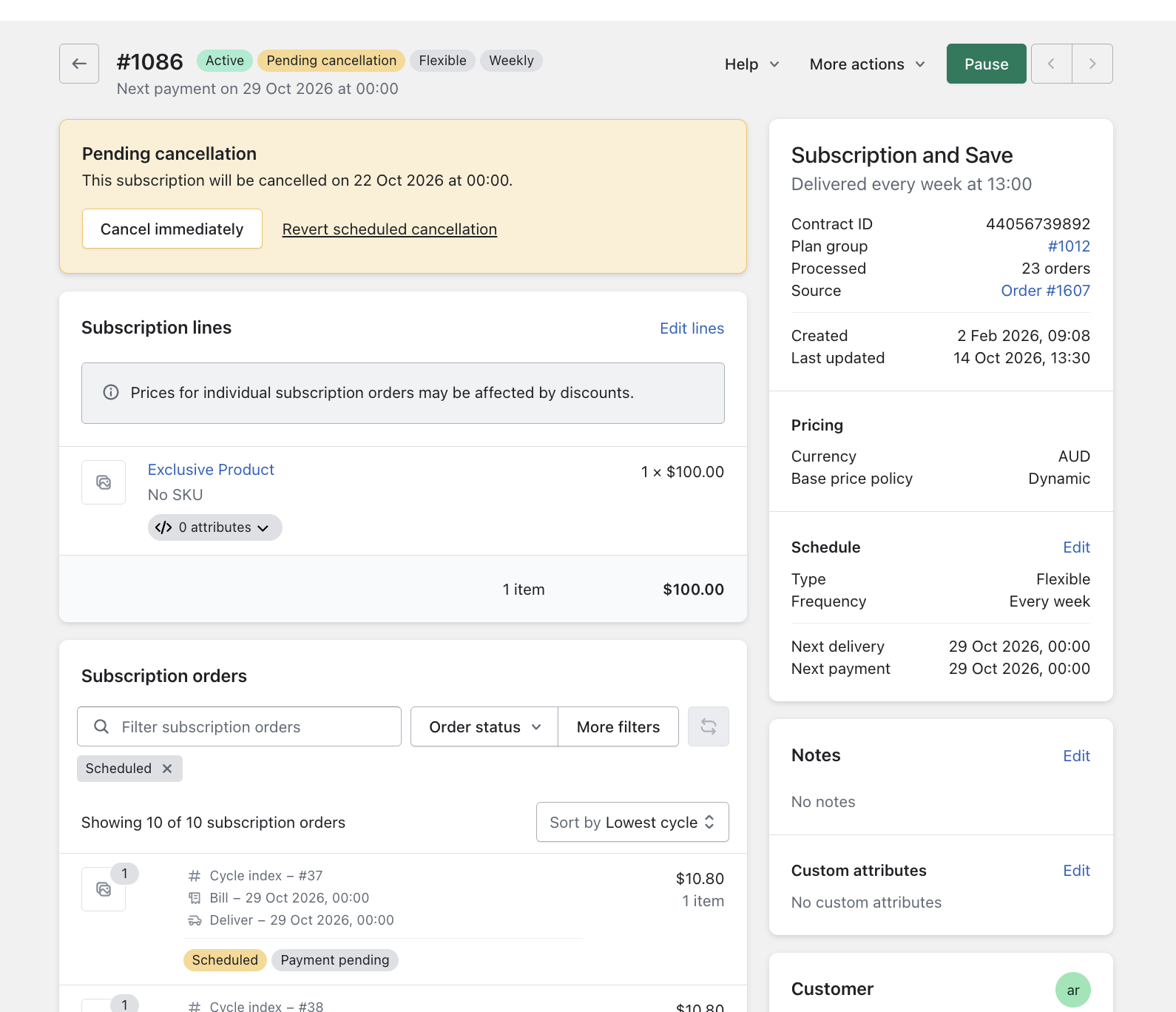
Pending cancellation: A subscription in pending cancellation stays active until its Cancel at date has been reached. If the customer changes their mind, you can resume it. You'll choose a resume date, which becomes their next delivery. If they want to stop sooner, you can cancel it immediately, and no further payments will be processed.
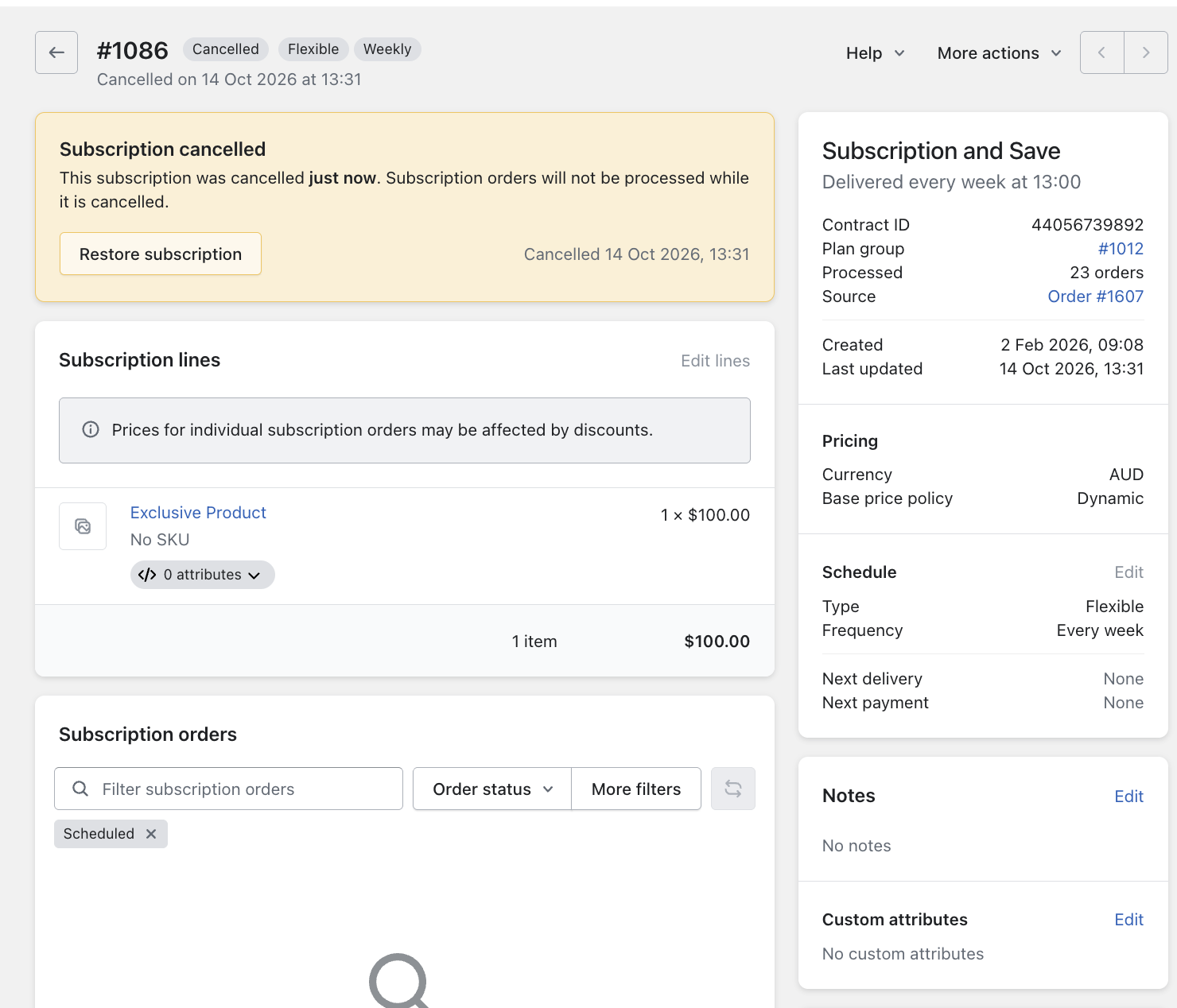
Cancelled: A cancelled subscription can only be brought back with Restore subscription. When you restore it, you'll choose a next delivery date.
Resume a paused subscription
- Open the Subscription
- Click Resume at the top right corner
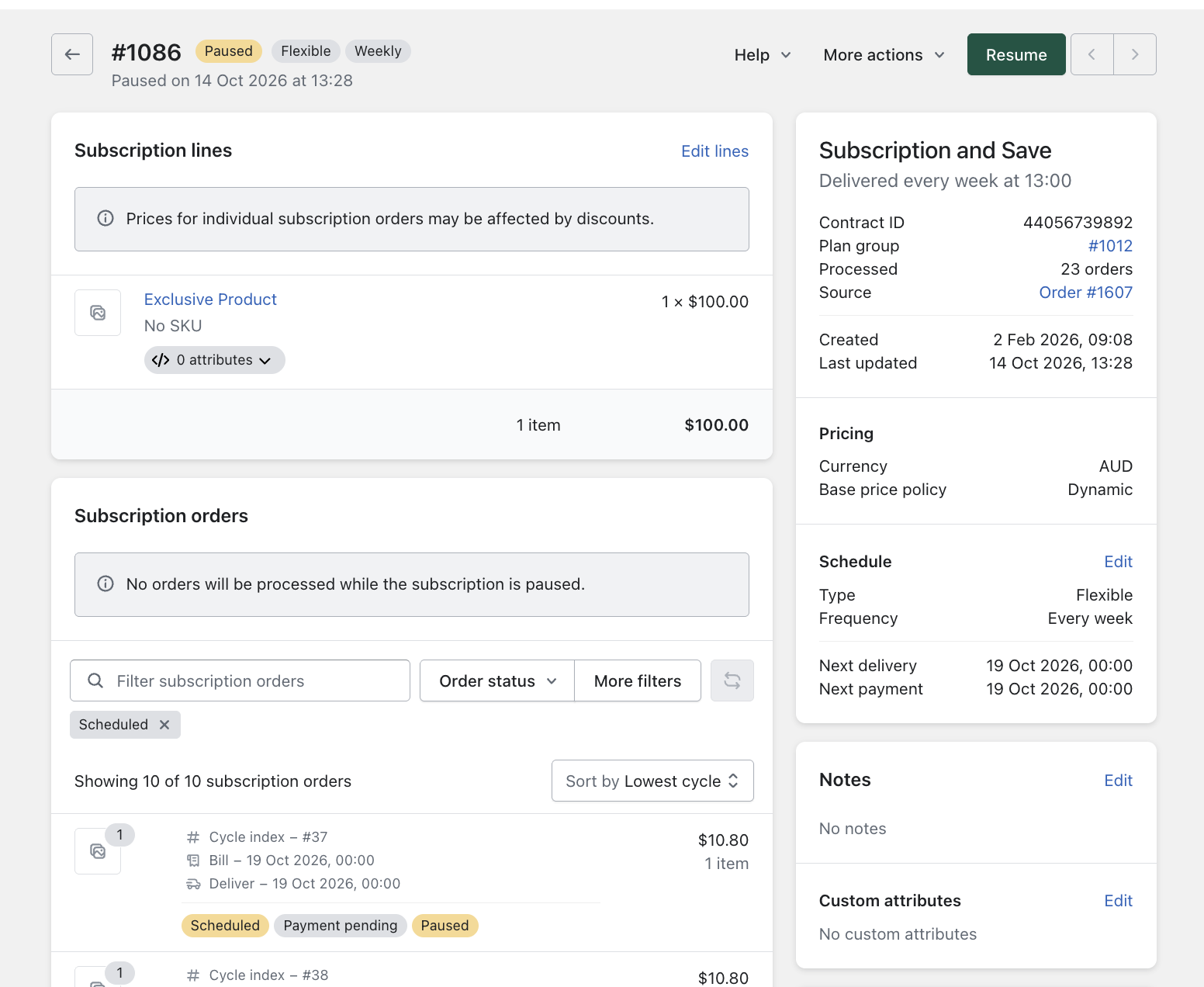
- Select the customer's next order date and click Confirm
- The status will update from Paused to Active, and upcoming orders will be scheduled from the selected date
Resume a subscription in pending cancellation
Use this if a customer changes their mind before their scheduled cancellation date is reached.
- Open the Subscription
- Click Revert scheduled cancellation
- Select the resume date. This will be the customer's next delivery date. Click Confirm
- The cancel date will be cleared and the status will update from Pending Cancellation to Active
Restore a cancelled subscription
- Open the Subscription. Cancelled subscriptions can still be found by searching the customer's name, email or Subscription ID.
- Click More actions, then select Restore subscription
- Select the customer's next delivery date and confirm
- The status will update from Cancelled to Active, and upcoming orders will be scheduled from the selected date
Notes & Tips
- Check the details before restoring. Some time may have passed since the subscription was paused or cancelled. Confirm the products, pricing, delivery address and payment method are still correct.
- Missed orders are not recreated. No orders process while a subscription is Paused or Cancelled, and resuming or restoring won't retroactively create or charge those missed orders.
- Pending Cancellation keeps processing. A subscription in Pending Cancellation still processes orders as normal until its cancel date. You only need to resume it if the customer wants to keep the subscription long term.
Troubleshooting
- Can't see Resume or Restore? Make sure you're viewing the subscription, not an individual subscription order.
- Restored, but the next order date looks wrong? Update the next billing or delivery date on the subscription page. See Update Delivery Date.
- Payment failed after restoring? The customer's saved payment method may have expired. See Updating Payment Details.
- Still stuck? Exit the subscription and try again. If the problem continues, contact help@getsubmarine.com